End-to-end test and go live
Run one controlled order all the way from checkout to fulfilment before you tell a client they are live.
Go-live is the last step of network setup: you check fourteen things are actually in place, then push one controlled test order all the way from checkout to fulfilment before any real patient does.
One successful test from checkout through clinical decision and fulfilment tells you more than every settings page looking correct. Use a test client and a test patient. Never use a real person's identity to test.
Questions people ask about this page
My settings all look right. Why can't a provider see anything?
Because your readiness is not only yours. Every provider you invited runs their own blocking wizard — NPI, government ID, licences, signature, agreements — and a provider stuck on any of those cannot see a patient. Check the Onboarding stat card on your Dashboard: it counts network users who still need setup. If it is not zero, you are not live.
A provider signs in and gets a dialog they cannot close.
That is Required Knowledge Base Review — Review each required item before continuing in the portal. It has no working close button. The provider must open each item and complete it. Check your required knowledge-base items before launch day, not on it.
Checkout let my test patient through without an intake form.
That is the quietest failure in the product. When a product has no required forms attached, checkout skips the intake step instead of blocking it — so patients get care with nothing on file. Watch the amber Intake forms needed banner on /forms until it disappears.
Where do I mark a client as live?
On /clients, set that row's Status cell to Live Seeing Patients. That is your own tracker; it does not switch anything on. The separate EMR Status column is owned by GEN Health and you cannot edit it.
Do I need a payment processor?
Only if a linked client uses the Affiliate model, in which case its patients pay through your network's processor on /billing. Review Only and Review + Prescribe clients charge through their own processor.
My test order never reached a provider.
Work back through three gates: the protocol must be Active and assigned to that client; a provider must be assigned to that client on /clients; and unless you turned the check off, that provider must hold an active licence in the patient's state.
How long should this take?
Budget a working session, not ten minutes. Most of the elapsed time is waiting on other people's onboarding — providers finishing wizards, ScriptSure invitations being accepted, DNS records propagating.
Where this happens
This is a cross-page run, not a single screen. In order, you will use: /dashboard, /providers, /integrations, /protocols, /forms, /labs, /clients, /billing, /settings/operations, /settings/branding, then the client's own storefront, then /async-visits or /sync-visits, /prescriptions, /orders and /reports.
The fourteen readiness checks
| # | Check | Where | How you know it is done |
|---|---|---|---|
| 1 | Your account-setup wizard is finished — account, business address, payment, all three agreements. | /dashboard | The wizard stops reopening at sign-in. |
| 2 | The business address is correct. | /settings/overview → Business address | It is what OnlyScripts uses to register your providers, so a typo blocks prescribing. |
| 3 | Providers are invited and each has finished their own wizard. | /providers, /dashboard | The Onboarding stat card reads 0 and every roster row reads Active. |
| 4 | ScriptSure enrolment, if you prescribe. | /integrations → ScriptSure setup | Admins and providers show Enrolled, not Pending or Not invited. |
| 5 | Protocols created and set Active. | /protocols | The Status column reads Active. |
| 6 | Protocols assigned to each client. | /protocols → the row's Clients popover, or Presets | The client is ticked. Remember the client still has to price it before patients see it. |
| 7 | Intake and consent forms published and associated with those protocols. | /forms | The amber Intake forms needed banner is gone. |
| 8 | Audience forms assigned — and double-checked. | /forms → Audience column | A wrong audience locks every Client Admin in the network out of their workspace behind Required onboarding form. This is the highest-blast-radius control in setup. |
| 9 | Providers assigned to each client. | /clients → Assigned Providers | The cell shows a count, and the popover badge reads All active providers or Custom assignments. |
| 10 | Patient-facing payment processor, if any client is Affiliate. | /billing | A processor is active. None means test mode and no real charges. |
| 11 | Labs and the Approved Labs allowlist for any protocol that requires labs. | /labs, /protocols | The protocol's lab requirement resolves to at least one approved lab. |
| 12 | Operations reviewed. | /settings/operations | You have deliberately set Require patient-state licensure, sync-visit claiming, charting sections and attestations. See Operations. |
| 13 | Branding and domains, plus the network profile. | /settings/branding, /settings/overview | Custom domain badge reads Active; operating hours are set, because provider hours must sit inside them. |
| 14 | The client's Status moved to Live Seeing Patients. | /clients | Do this last, after the test run below passes. |
How to run the end-to-end test
Pick a test client and a test patient
Use a client account you control and a patient record created for testing. Give it an email you can open. Never reuse a real patient's identity.
Place the order
From the client's patient-facing storefront, buy the protocol you are launching. Watch for the empty state No Products Available — Check back soon for new programs and offerings from {client name}. That means the protocol is not active, not assigned, or not priced by the client.
Complete every patient gate, exactly as a patient would
Payment, required profile fields, intake and consent forms, labs, and scheduling. Do not shortcut a step from an admin account: shortcuts are how a broken gate reaches production.
Confirm the intake actually happened
If checkout jumped straight past the forms step, stop. That is check 7 failing quietly. Attach the intake form to the protocol and start again.
Watch it reach a provider
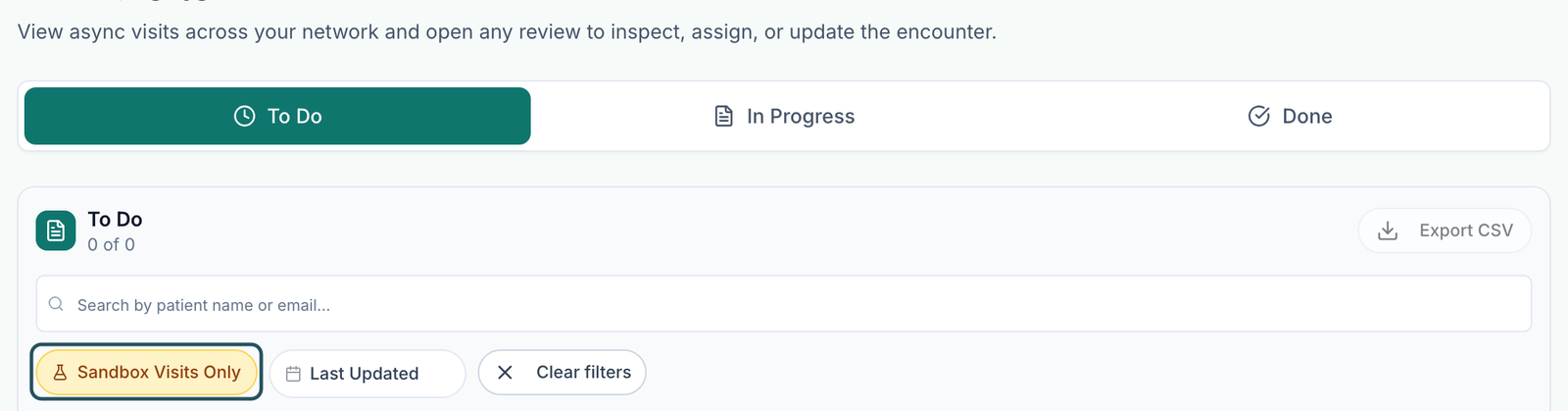
Open /async-visits. The visit should land in To Do. For a live visit, open /sync-visits and confirm it is Scheduled or Confirmed with a provider attached.
Chart it as the provider
Sign in as the provider and open the visit. Confirm the sections, their order, the approve-button wording, any decision questions and the attestation all match what you configured. See Complete a visit.
Record a decision
Approve, defer or deny. Confirm the decision is recorded and the visit moves out of To Do.
Prescribe
Write the prescription. Check the prescriber, the medication and pharmacy pairing, the directions and the days supply. On /prescriptions confirm the row appears with the status you expect and no error.
Follow fulfilment
On /orders, open the order and read the timeline: payment, forms, labs, clinical review, prescription, fulfilment. Every blocker should be cleared.
Check the trailing edges
Confirm the patient received the messages and reminders you expect, that /notifications shows what it should, and that /reports counts the visit.
Write it down
Record the test order ID and every gap you corrected. That list is your launch evidence.
Then mark the client live
On /clients, set Status to Live Seeing Patients and Contract status to Contracted.
Readiness that is not yours to finish
Three of the fourteen checks depend on other people, and no admin can complete them on someone else's behalf.
| Who | What they must finish | What it blocks until they do |
|---|---|---|
| Each Provider and Provider Delegate | Their own account-setup wizard: NPI, government ID, licences, signature, agreements. | They cannot see a patient. They show in the Onboarding count on your dashboard. |
| Each Provider | Required Knowledge Base Review — every required knowledge-base item. | A dialog they cannot dismiss blocks the whole portal. |
| Each Provider | Availability inside your network operating hours. | No sync visits can be booked with them. They are prompted by Set your availability. |
| Each Provider and Network Admin | Their ScriptSure invitation, completed from their own email. | Prescriptions cannot be transmitted. An invite sent is not an enrolment. |
| The Client | Its own wizard, payment processor, product pricing and storefront visibility. | Patients see No Products Available on the storefront even though you assigned the protocol. |
Statuses that tell you the run worked
| Where | Status | What it means |
|---|---|---|
/providers | Active | The provider finished onboarding and can be assigned work. Pending means invited but not finished. |
| ScriptSure setup | Enrolled | Prescribing is possible. Pending means invited; Not invited means nothing has been sent. |
/protocols | Active | The protocol can be assigned and sold. Inactive hides it everywhere. |
/async-visits | To Do tab | The visit reached the queue. That is the proof the order routed correctly. |
| Charting decision | Approved / Deferred / Denied | The decision was recorded on the chart review. |
/orders | Purchase Complete | The order finished. Anything still reading Pending Review, Pending Forms or Unpaid is a gate you have not cleared. |
/clients | Live Seeing Patients | Your own marker that this client is launched. It changes nothing by itself. |
What can go wrong
| What you see | Why | Fix |
|---|---|---|
| No Products Available on the client storefront. | The protocol is inactive, not assigned to that client, or the client has not set a price and storefront visibility. | Check /protocols status, the row's Clients popover, then ask the client to price it. |
| Checkout skipped the intake step. | The product has no required forms attached. | Attach an intake form on /forms and watch the Intake forms needed banner clear. |
| Every Client Admin in the network is locked behind Required onboarding form. | A form's Audience was set to Client Admin by mistake. | Open /forms, click the Audience cell and choose Remove Audience. |
| The order sits with no provider. | No provider assigned to that client, or none licensed in the patient's state. | Assign providers on /clients. Check the licensure policy on /settings/operations. |
| A provider cannot get past a dialog on first sign-in. | Required Knowledge Base Review. | They must complete each required item. Review what you made required before launch day. |
| The prescription will not transmit. | ScriptSure enrolment is incomplete, or the medication has no pharmacy pairing. | Re-check enrolment on /integrations and the pairing on /formulary. |
| No booking times are offered for a sync visit. | No provider availability, or availability sits outside the network operating hours. | Set operating hours on /settings/overview, then have the provider add availability inside them. |
| Reminder emails never arrived. | Enable visit notifications is off, or the visit was confirmed before you turned it on — there is no backfill. | Turn it on in /settings/operations and book a fresh test visit. |
| The test charged a real card. | A live processor is connected on /billing. | Refund it from the order, and use a processor sandbox or the None test mode for future tests. |
Next
Was this helpful?