
Link your provider network
How your account is linked to a provider network, where you see it (Products and Support, not Integrations), how to contact the network, and how to add or change one.
How your account is linked to a provider network, where you see the link, and how to reach the network. There's no page to link one yourself: GEN Health, or the network that created your account, sets it up. You see it on Left menu → Products and Support. Client Admin and Client Staff.
What you can do here
- Check which network you're linked to
- Contact your network
- Add or change a network
- Know what Integrations shows
Check which network you're linked to
Use this when you set up, or when products or tickets don't show what you expect.
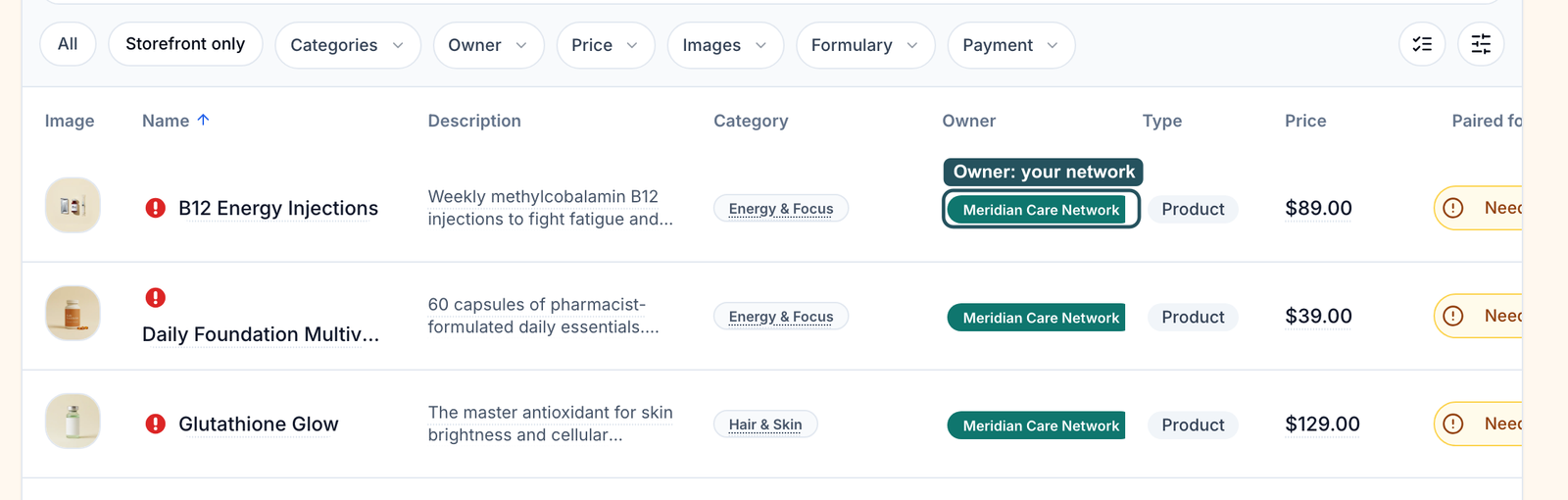
Read Owner on Products
Left menu → Products. The Owner column shows your network's name on its products. The Owner filter splits Network and Client products.
Check Support
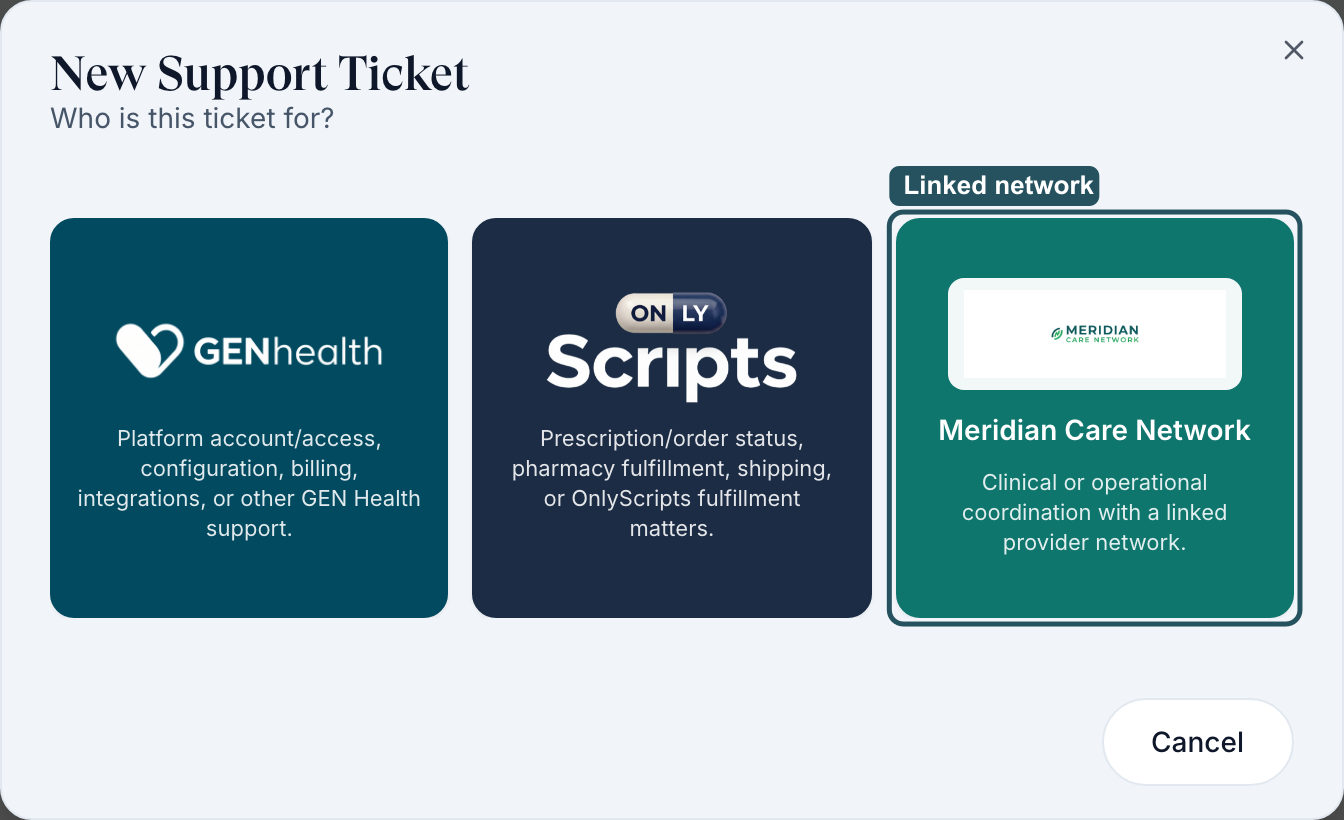
Left menu → Support → Create Support Ticket. Each linked network has its own tile beside GEN Health and OnlyScripts. Click Cancel to close it.
You'll know it worked when your network's name shows in both places.
Who can do this: Client Admin and Client Staff. The Client step of account setup also shows it under Provider network.
Contact your network
Use this for clinical or operational questions: turnaround, state coverage, a patient the network deferred.
Open a ticket to the network
Support → Create Support Ticket → your network's tile (Clinical or operational coordination with a linked provider network.). Name the patient and order.
Or answer the network in Messages
When the network writes to you, the Dashboard shows a Message from card; click Open conversation.
You'll know it worked when the ticket shows on Your Support Tickets with your network as the recipient.
Who can do this: Client Admin and Client Staff. Pharmacy and shipping questions go to OnlyScripts instead.
Add or change a network
Use this when you contract with a new network, or want a second one.
Raise a ticket to GEN Health
Support → Create Support Ticket → GEN Health. Name the network and what you want to sell through it.
Know primary from additional
Your primary network assigns providers, sets clinical rules, bills its fees and approves your go-live. An additional network adds its products to your catalog.
You'll know it worked when the new network's name appears under Owner and in Support.
Who can do this: GEN Health. For an affiliated client, the parent's Client Admin picks from the parent's networks.
Know what Integrations shows
Integrations has no provider network section; it lists what your account connects to.
Open Integrations
Left menu → Integrations: Pharmacies, Labs and Tools.
Spot the network-controlled parts
Your network sets up ScriptSure (e-prescribing); once connected, its dialog is titled ScriptSure team, and a failed load offers Try again. Tools such as DrChrono or Vagaro receive notes only from your primary network.
You'll know it worked when you've found the pharmacies, labs and tools on your account. See Integrations.
Who can do this: Client Admin changes integrations; Client Staff can look.
What can go wrong
| What you see | Why | Fix |
|---|---|---|
| No provider network on Integrations | Networks never show there | Check Products and Support. |
| Only GEN Health and OnlyScripts tiles in Support | No network is linked yet | Raise a ticket to GEN Health. |
| Products is empty, or a treatment is missing | Your network hasn't opened that protocol to you | Raise a ticket to your network. |
| Your account needs a primary provider network before you can request go-live. | No primary network is set | Raise a ticket to GEN Health. |
| A provider can't sign in | Providers belong to the network | Their network admin sends a new link. |
Questions people ask
Is it possible to route patients to multiple provider networks?
You can have one primary network and additional networks for extra products. Ask GEN Health.
How can I view my practitioners and their state licensure?
You can't see providers' licences. Raise a ticket to your network for its provider list and state coverage.
I only have Client Admin access. Do I need Provider Network Admin access too?
No, unless you also run your own provider network. Your network's team works in its own account.
Can my own doctor see our patients here?
Only if your network adds them as one of its providers. Clients can't invite providers.
Related
Was this helpful?